Camera and photo mode
The camera is the whole game in TOEM 2 — walking is just how you get between photos. This page is about the tool itself: photo mode, the rotation settings that trip people up, and how to frame shots so the game agrees that you have taken the photo it asked for.
Photo mode in ten seconds
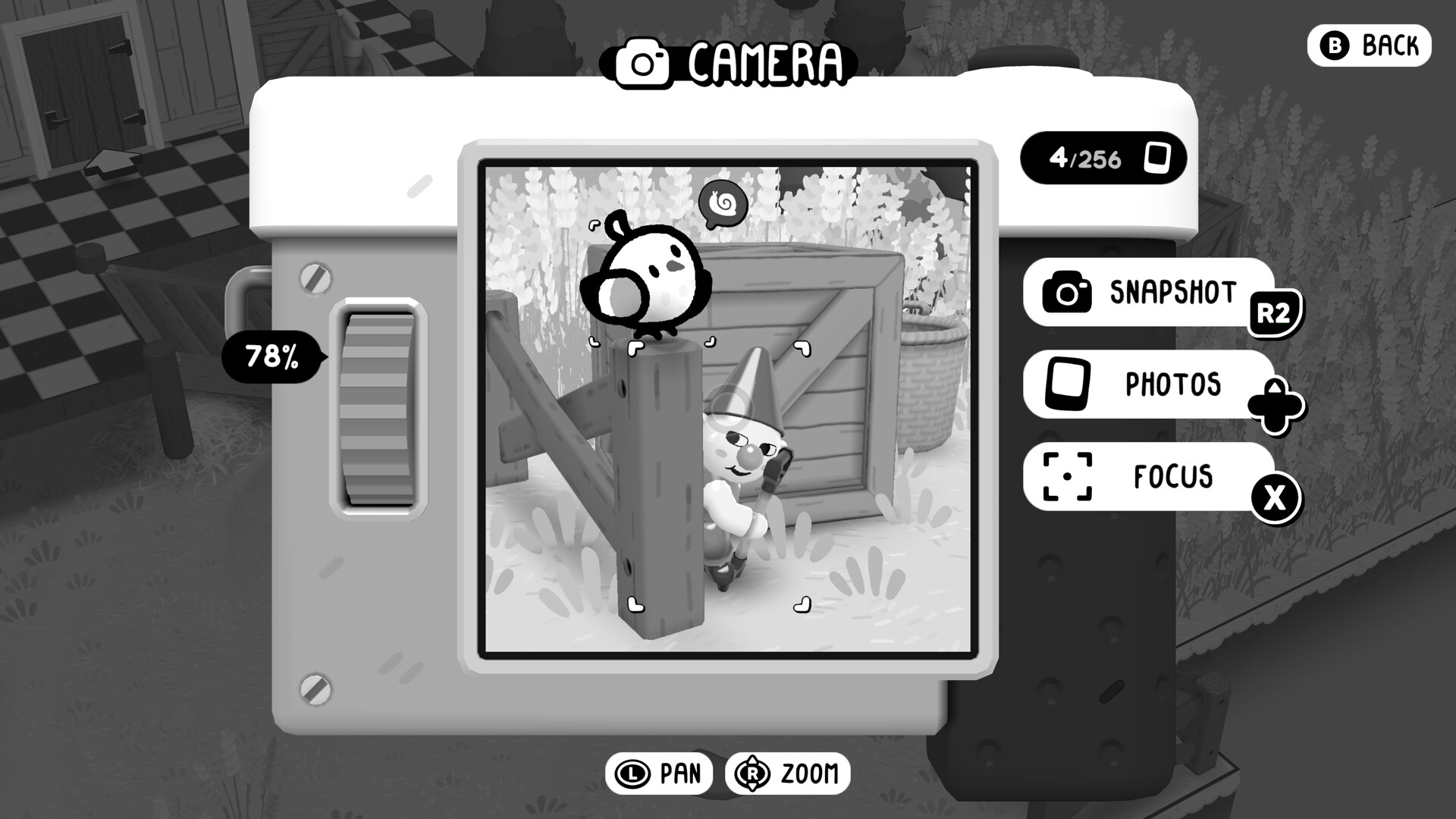
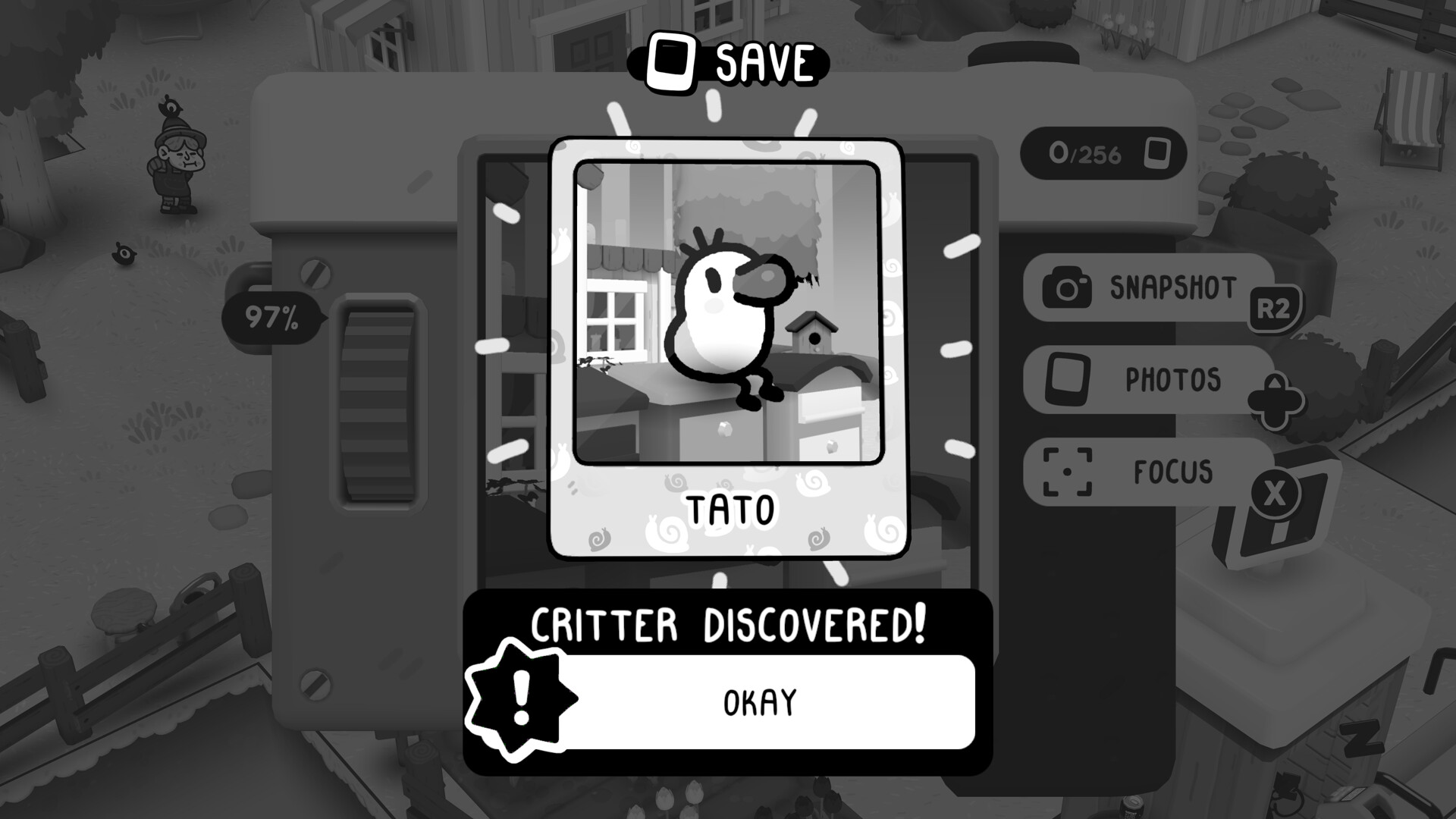
Raise the camera and the world narrows to a viewfinder. You can zoom, you can rotate the angle, and you can shoot. What leaves the camera is what the task system judges — not what you saw in the overworld.
Three things consistently matter:
- Distance. Most "photo did not count" reports are distance reports. If a request feels broken, walk two steps closer and shoot again.
- Framing. The subject should be recognisable in the frame — centred, or at least unambiguously the subject. A creative angle is fine as long as the wrong thing is not the focus.
- Photo mode rotation vs overworld rotation. These are separate settings with separate invert toggles, and mixing them up makes the camera feel cursed in exactly one of the two modes.
The settings that matter
| Setting | What it does | What to pick |
|---|---|---|
| Overworld camera rotation | How the walking camera swings | Whatever feels natural; the demo split the invert option here first |
| Photo mode camera rotation | How the viewfinder swings | The opposite of your overworld choice more often than you would think |
| Rotation speed | Shown as a percentage in the demo builds | Slow it down for photo mode — you will thank yourself on tight interior shots |
| Invert options | Split into two toggles after a demo patch | Set both explicitly; do not assume they mirror each other |
How to shoot a task photo cleanly
- Read the request, then look away from the words. Requests describe a subject, not an angle. Find the subject first, then find your feet.
- Zoom before you walk. Half of photo tasks are solved by walking to the right street and zooming to the right window, in that order.
- Fill the frame with the subject, then step back one notch. Touching the frame edge to edge occasionally confuses the recogniser; a little breathing room around the subject reads cleanest.
- Shoot twice from two distances. The camera roll is free. Two shots at different ranges cost nothing and save the walk back.
- If it still will not count, change the time of day. Some subjects face a direction that only reads properly when lit; this comes up most in interiors.
When the camera "doesn't work"
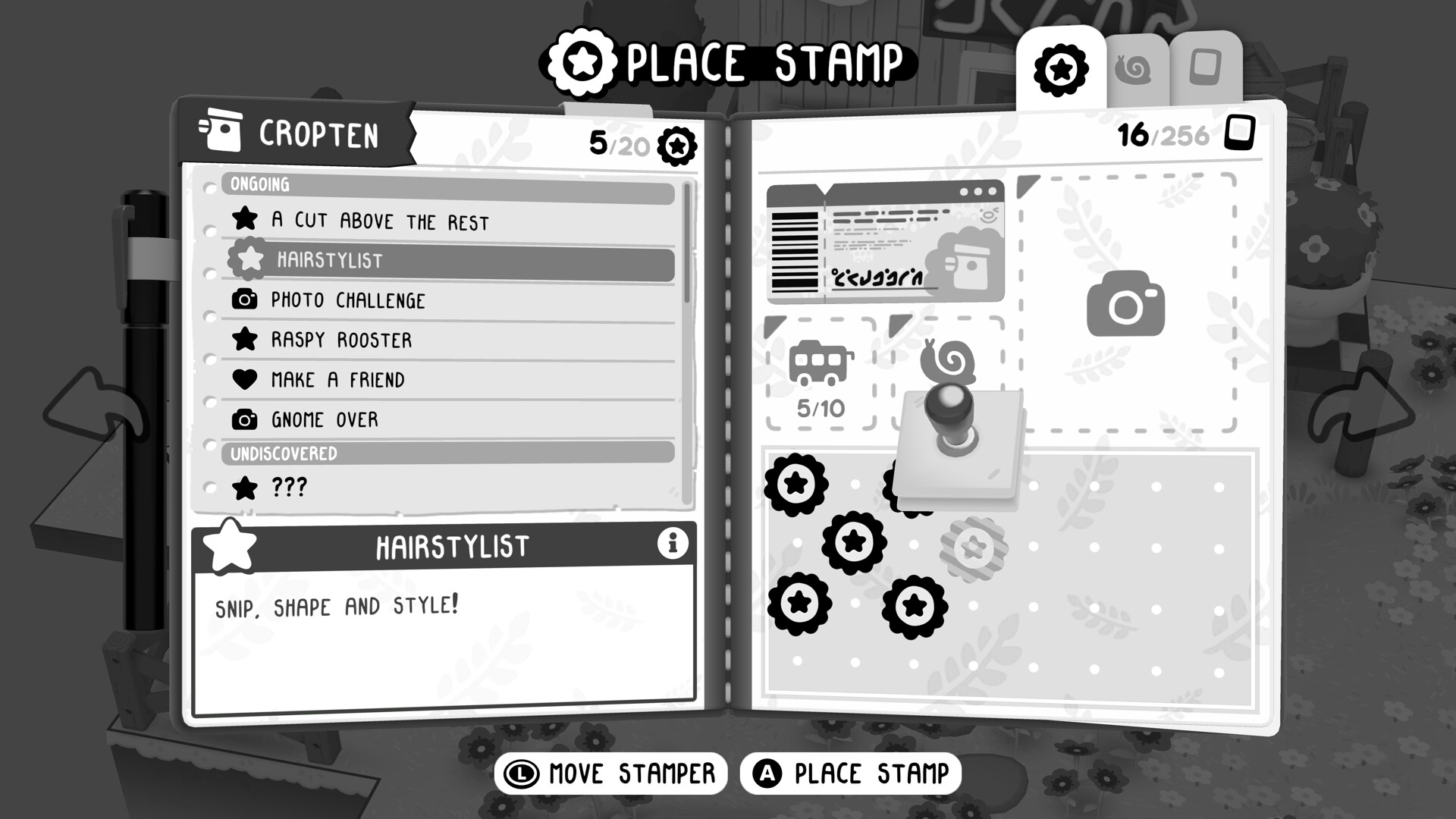
- The photo counted but no stamp appeared. Some photos count toward requests only; stamps come from the specific kind of discovery the region is keeping score of. Check the stamp book's current spread.
- A critter did not register. The demo's community threads on this point were consistent: get closer. Critters want to be the subject, not the scenery.
- The viewfinder will not rotate far enough. You have hit the rotation limit for that surface; back up and use zoom instead.
- Photo mode opens at a strange angle. Your rotation speed or invert pair got mismatched — check both toggles in options.
Camera FAQ
Is there a photo limit? No — shoot as much as you like. The game never asks you to manage a roll.
Do photos taken before a request still count? Often, yes. Tasks check the world state the photo captured, so a good earlier shot can resolve a later request. This is the strongest argument for photographing everything on your first pass.
Does photo mode pause the world? The world keeps its own time; photo mode is for framing, not for stopping events.